1. Download Links
- Official website: https://www.anaconda.com/products/distribution
- Historical releases: https://repo.anaconda.com/archive/
2. Install on Windows
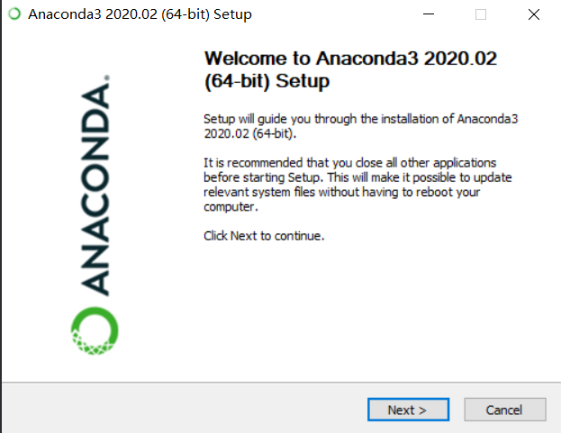
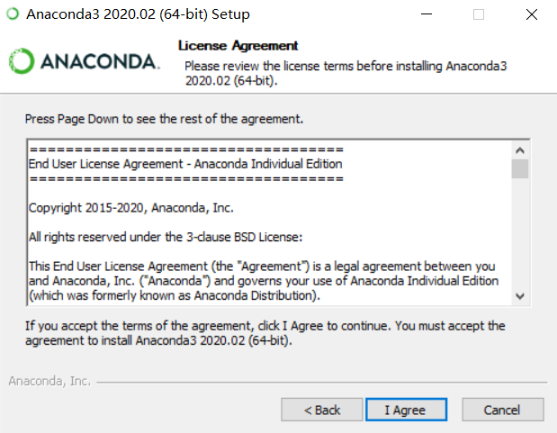
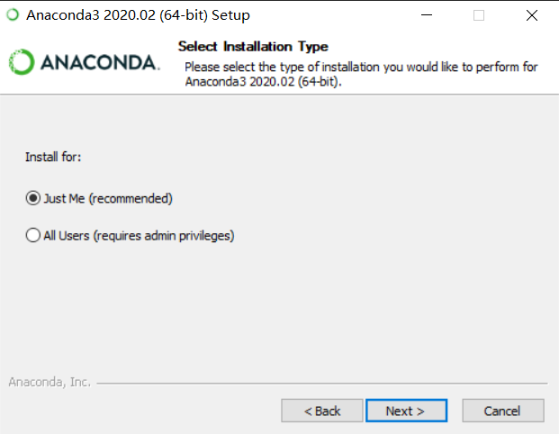
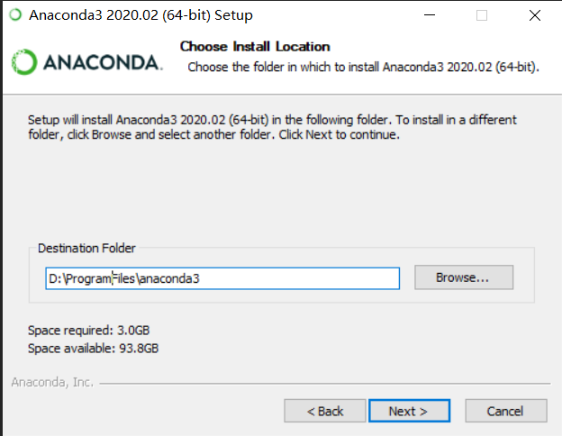
Note: avoid spaces in the installation path. Conda may show a warning, and some packages can behave incorrectly when the path contains spaces.
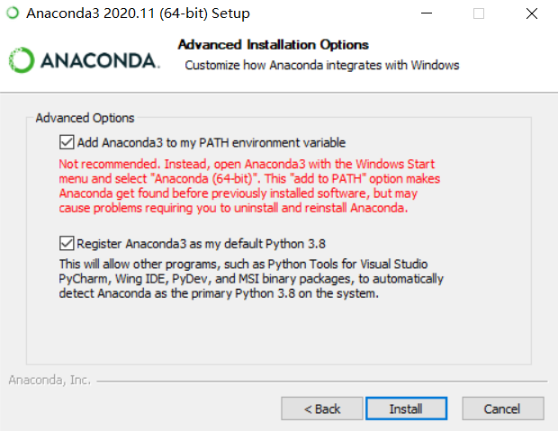
Note: select the first checkbox, otherwise the conda command may not be found
from the terminal.
3. Install on Linux
wget https://repo.continuum.io/miniconda/Miniconda3-latest-Linux-x86_64.sh
sh Miniconda3-latest-Linux-x86_64.sh
source ~/.bashrc
conda create -n funasr python=3.7 # Python 3.7 is recommended
conda activate funasr
For more Conda installation details, see https://docs.conda.io/en/latest/miniconda.html.
References
[1] FunASR Linux installation: https://github.com/alibaba-damo-academy/FunASR/wiki/Linux%E7%8E%AF%E5%A2%83%E5%AE%89%E8%A3%85